
Double-click Customer and Item Fill
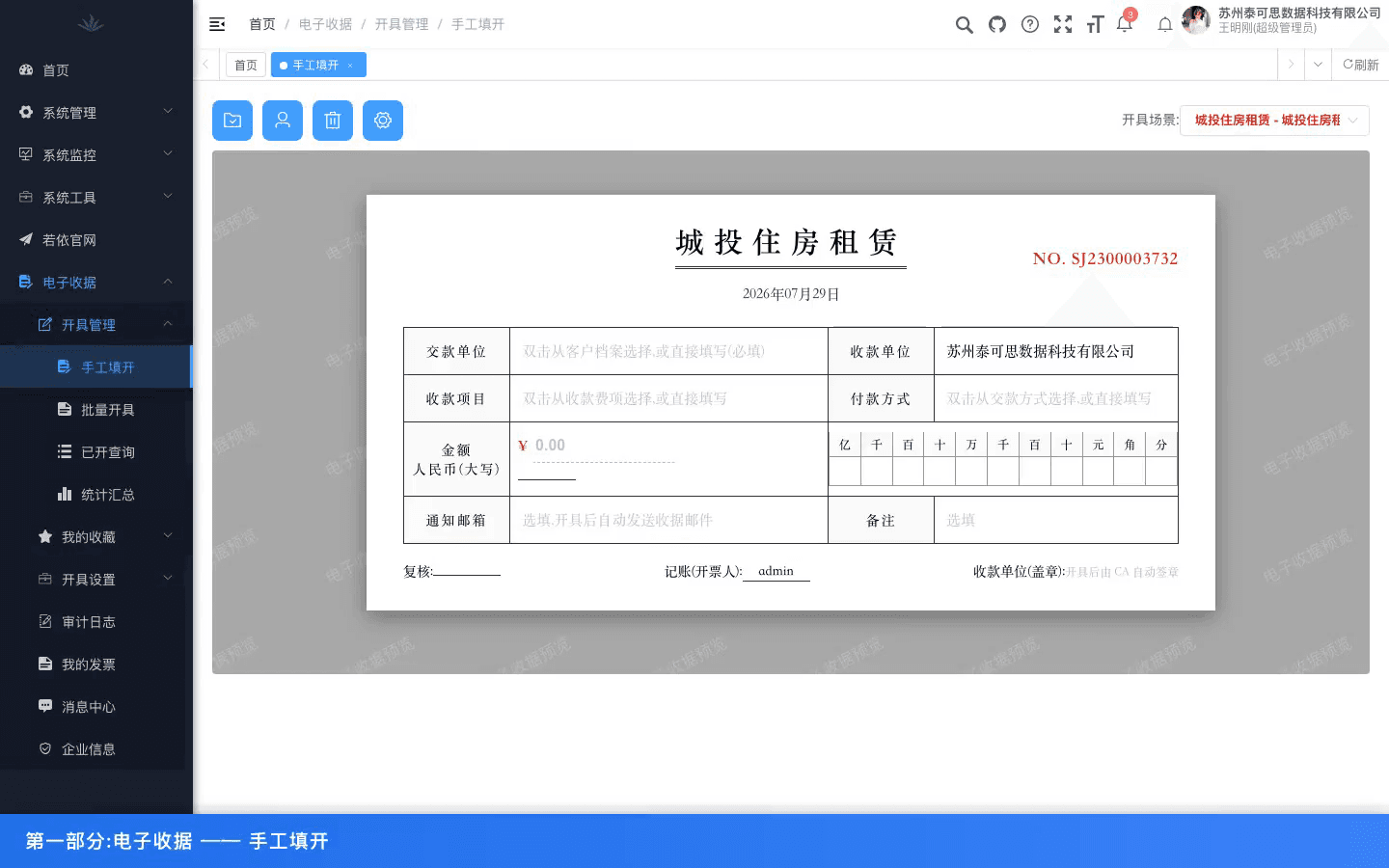
Payers can be selected from customer records, while receipt items and payment methods can be filled from common settings to reduce manual errors.
Electronic Receipt System
Designed for property, leasing, park operations, and fee-collection scenarios, providing full-cycle electronic receipt management across manual issuance, batch issuance, CA e-sealing, issued receipt query, statistics, notification resend, and public verification.
A two-minute walkthrough covering the dashboard, manual issuance, batch issuance, query analytics, template setup, and notification records.
Automatically loads templates, seals, and number ranges by issuance scenario, supports receipt-style entry of payer, item, payment method, and amount, and completes CA e-sealing after issuance.
Payers can be selected from customer records, while receipt items and payment methods can be filled from common settings to reduce manual errors.
Numeric amounts are converted into Chinese uppercase and digit slots automatically, while receipt numbers are generated with concurrency control.
Supports Excel template download, batch import into pending lists, and batch issuance with e-sealing after review.
Supports search by payer, item, receipt number, status, review status, and issuance date, with download, batch print, detail export, statements, and statistics.
Covers issued, voided, offset, and refunded statuses; high-risk actions require reasons and are written into audit logs.
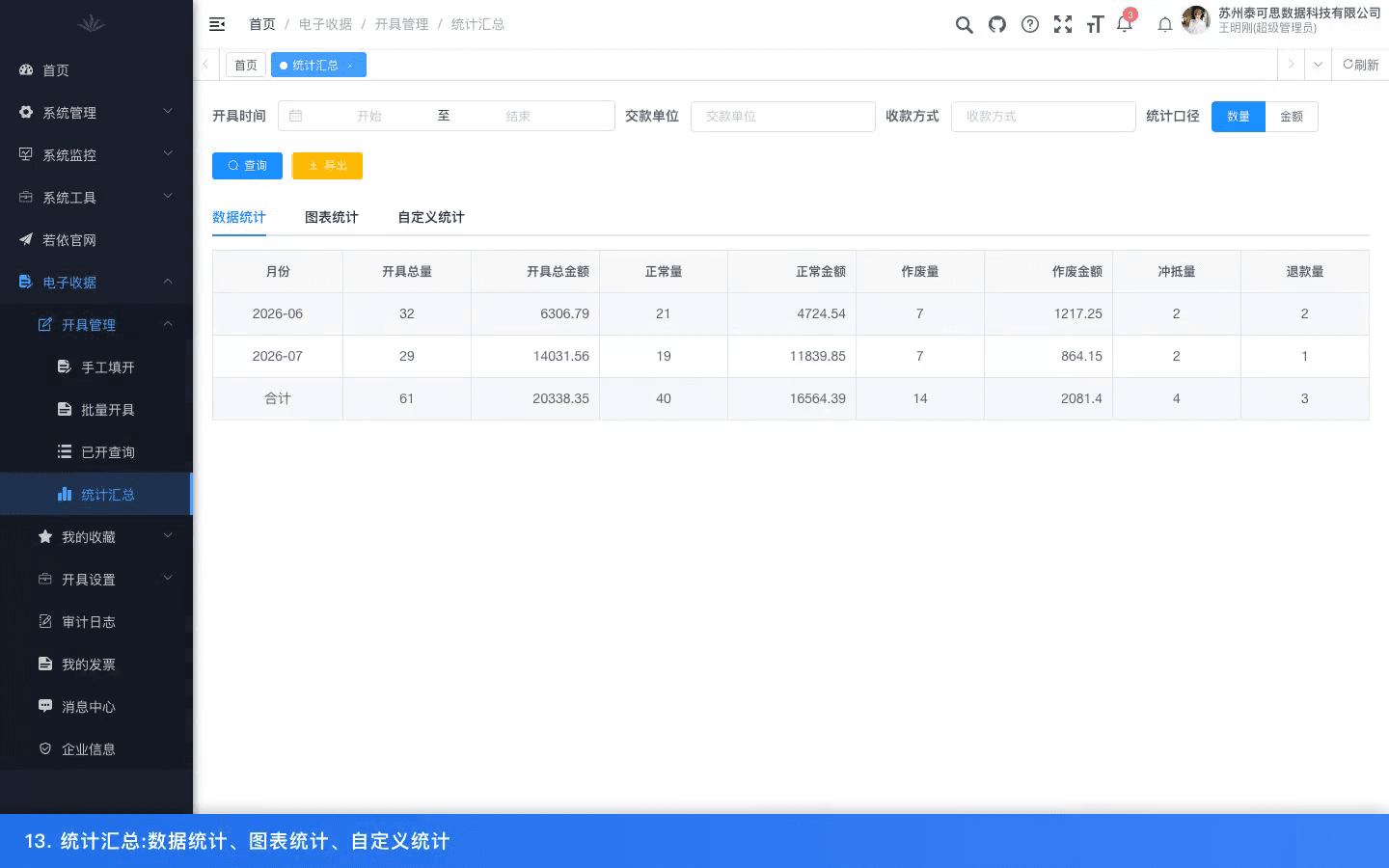
Monthly statistics cover total, normal, voided, offset, and refunded receipts by count and amount, with count/amount switching and Excel export.
Supports monthly billing-day setup and aggregates valid receipt count, receipt amount, refund amount, and net received amount by period.
Issuance scenarios bind templates, e-seals, number ranges, and notification switches into reusable configurations managed by enterprise admins.
Supports title, company header, QR verification code, seal position, field display, sorting, relabeling, and sample PDF preview.
Maintains CA provider, certificate serial number, status, and expiry date; warnings appear 30 days before expiry.
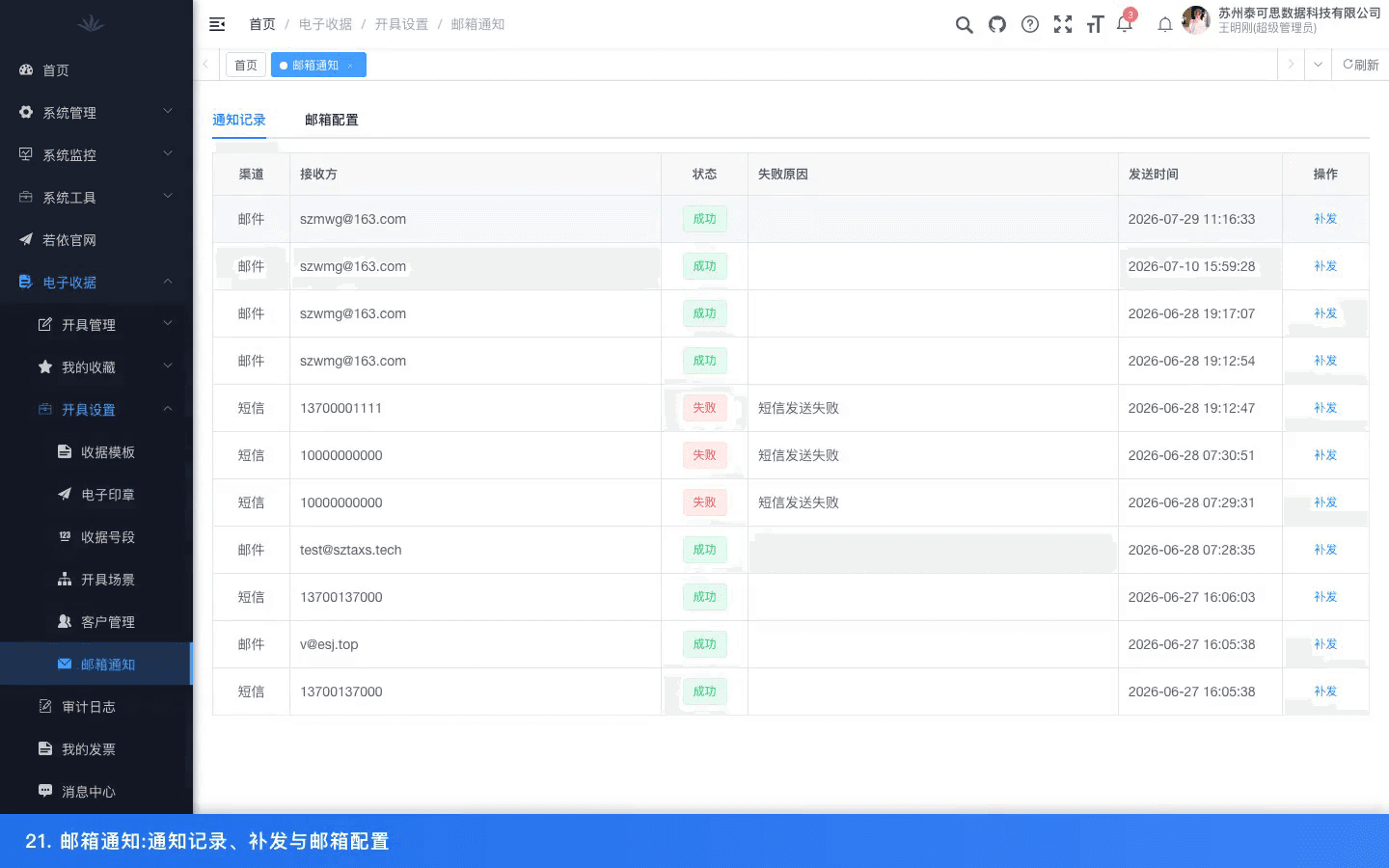
Supports system default email or enterprise SMTP, sends asynchronously without slowing issuance, and allows failed notifications to be diagnosed and resent.
Uses department as the enterprise dimension to isolate receipts, customers, and templates, with public QR verification, role permissions, business audit logs, and system operation logs.
The QR code on the receipt PDF opens a public verification page showing receipt number, payer, amount, issuer, date, and status.
Enterprise admins manage all issuance settings, while billers can issue, query, analyze, and maintain customers without changing templates, seals, number ranges, or scenarios.
Key actions such as voiding, offsetting, refunds, batch review, and setting changes record operator, object, before/after values, and timestamp.
Next Step
Continue with adjacent products in the same category, or contact Taxs for an implementation plan by industry, tax type, and operating model.